
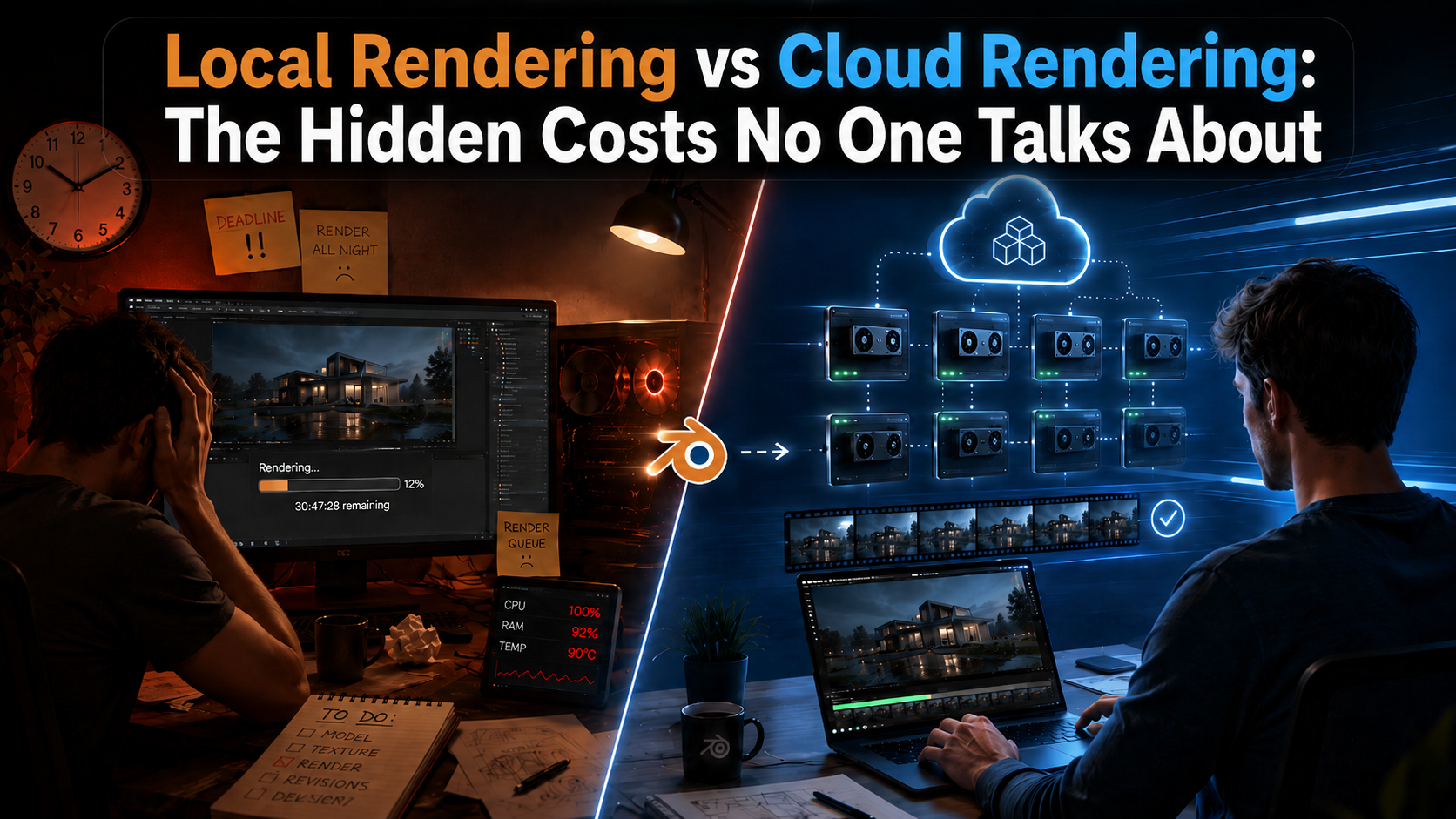
When artists compare local rendering vs cloud rendering, the discussion usually starts with hardware cost.
How expensive is a powerful GPU?
How much does a render farm cost?
Is it cheaper to render on your own machine?
Those are fair questions, but they do not show the full picture.
The real cost of local rendering is often hidden. It is not only the price of your GPU, your electricity bill, or the time it takes to finish a frame. It is also the time you lose while your workstation is blocked. It is the deadline pressure when a render takes longer than expected. It is the mental load of checking frames, fixing crashes, restarting jobs, and hoping your computer survives another overnight render.
For Blender artists, this can become a real production problem.
Local rendering feels cheaper until production pressure starts
Local rendering feels simple at first. You finish your scene, press render, and let your own computer do the work. For small tests, still images, or short previews, this can make perfect sense.
But production work is different.
A Blender animation with hundreds of frames can quickly turn into hours or days of waiting. A scene that takes 6 minutes per frame may not sound dramatic, but with 250 frames, that becomes 1,500 minutes of rendering. That is 25 hours where your main workstation may be busy, slower, louder, hotter, or almost unusable for other work.
And that is assuming everything goes well.
In real projects, things often do not go perfectly. A texture may be missing. A simulation may not cache correctly. A render may crash halfway through the night. A client may ask for a small change just when your machine is already locked into a long render.
This is where the hidden costs start.
The workstation problem: your computer becomes unavailable
One of the biggest disadvantages of local rendering is not always the render time itself. It is the fact that your main creative tool becomes occupied.
When your workstation is rendering, you may not be able to continue working normally. Blender may become slow. Other creative software may lag. Even simple changes can feel painful because your system resources are already being used.
For freelancers and small studios, this matters a lot.
Your computer is not only a render machine. It is where you model, animate, texture, edit, communicate, revise, and prepare the next project. If it is blocked for rendering, your whole workflow slows down.
This is one of the main differences between local rendering and cloud rendering. Cloud rendering lets the heavy work happen somewhere else, so your own machine stays free for creative decisions, client revisions, and the next task.
The hidden costs most artists underestimate
The cost of rendering locally is not only about money. It is about everything the render takes away from the production process.
Some of the biggest hidden costs are:
- Lost working hours because your computer is busy rendering instead of helping you create.
- Slower feedback cycles because you cannot quickly test changes while a long render is running.
- Missed or stressful deadlines when render times are longer than expected.
- More manual checking because you need to monitor crashes, failed frames, overheating, or incorrect outputs.
- Creative interruption because technical waiting time breaks your focus.
- Hardware wear because long rendering sessions push your GPU and system for many hours.
This is why local rendering can look affordable at the beginning, but become expensive during real production.
The problem is not only that rendering takes time. The problem is that rendering takes time at exactly the moment when you need flexibility.
Missed deadlines are more expensive than GPU hours
Many artists compare cloud rendering prices directly with the cost of using their own computer.
But this comparison often ignores one important point: a missed deadline can cost much more than rendering hours.
A delayed client delivery can create stress, reduce trust, or force you into last-minute compromises. Sometimes it means sending lower-quality previews. Sometimes it means reducing samples, cutting details, or changing the project just to make the deadline possible.
This is especially relevant for animation projects.
In Blender, a scene may look ready, but final rendering is often where the real timing pressure appears. You may still need to render the full sequence, check the frames, fix mistakes, rerender parts, and prepare the final delivery. If all of that happens on one local machine, every mistake costs more time.
Cloud rendering helps reduce that risk because frames can be distributed across multiple machines. Instead of waiting for one workstation to process frame after frame, many frames can be rendered in parallel.
This does not remove the need for good project preparation, but it gives you more room to react.
Mental load is part of the real rendering cost
There is another cost that rarely appears in price comparisons: mental load.
Rendering locally often means keeping part of your brain focused on technical risk.
Will the render finish overnight?
Will the computer crash?
Will the frames look correct?
Will I need to restart everything tomorrow?
Can I still use the computer while it renders?
Should I lower the quality to save time?
These questions take energy.
For professional artists, creative work is already demanding. You need to think about composition, lighting, timing, storytelling, materials, client feedback, and technical details inside Blender. Adding rendering stress on top of that can make the whole process heavier than it needs to be.
Cloud rendering is not only about speed. It is also about removing part of that pressure.
When rendering is handled outside your local workstation, you can focus more on the project itself instead of constantly calculating whether your hardware can keep up.
Cloud rendering is not automatically better, but it solves a different problem
Local rendering still has its place. It is useful for quick tests, small scenes, single frames, and early development work. It gives you direct control and requires no upload.
But when a project becomes larger, the equation changes.
Cloud rendering becomes valuable when time, flexibility, and production reliability matter. It is especially useful when you need to render animations, meet deadlines, keep working while the render runs, or avoid turning your main workstation into a full-time render machine.
A good Blender render farm should not only be fast. It should also make the workflow easier, reduce technical friction, and help artists avoid production bottlenecks.
That is where many comparisons between local rendering and cloud rendering miss the point.
The question is not only: Which one is cheaper?
The better question is: Which one helps you finish the project with less risk, less waiting, and less stress?
Why Praxilla succeeds where others fail
Many render farms focus only on raw speed. That matters, but it is not enough.
Artists do not only need faster rendering. They need a workflow that feels practical during real production. They need to upload projects without turning the process into a technical puzzle. They need clear pricing. They need their workstation to stay free. They need support when something does not behave the same way in the cloud as it does locally.
Praxilla is built around these real production problems.
You can upload your project directly from Blender using our addon, which is one reason why many artists say it feels very straightforward to use. Instead of blocking your own computer for hours, your frames are rendered across multiple GPUs, so animation projects can finish much faster than they would on one local machine.
This directly addresses the hidden costs of local rendering:
- Your workstation stays available, so you can keep working.
- Frames are distributed, so animations finish faster.
- The workflow is made for Blender artists, not just generic file uploads.
- You avoid the stress of leaving your own machine rendering for hours or days.
- You get a clearer way to plan rendering costs and compare them with your own setup.
Praxilla also helps with one of the biggest problems in production: uncertainty.
Instead of guessing whether your own hardware can finish in time, you can calculate an estimate, compare options, and decide whether cloud rendering makes sense for your project before you commit.
That is where cloud rendering becomes more than a technical upgrade. It becomes a production tool.
Learn more about Praxilla
If you want to see how Praxilla works for Blender projects, you can learn more here:
Learn more about Praxilla support for Blender:
https://praxilla.io/blender-render-farm
You can also estimate how long your project could take and compare your local rendering time with Praxilla using the cost calculator:
https://praxilla.io/cost-calculator
And if you want to check the available rendering packages, you can find the prices here:
https://praxilla.io/prices
